
Introduction
Imagine giving your employees a keyring with 50 different keys on it. One for email, one for Slack, one for Zoom, one for HR...
They will lose them. They will leave them in the door. They will hide copies under the mat.
This is what managing individual accounts looks like. It is chaos.
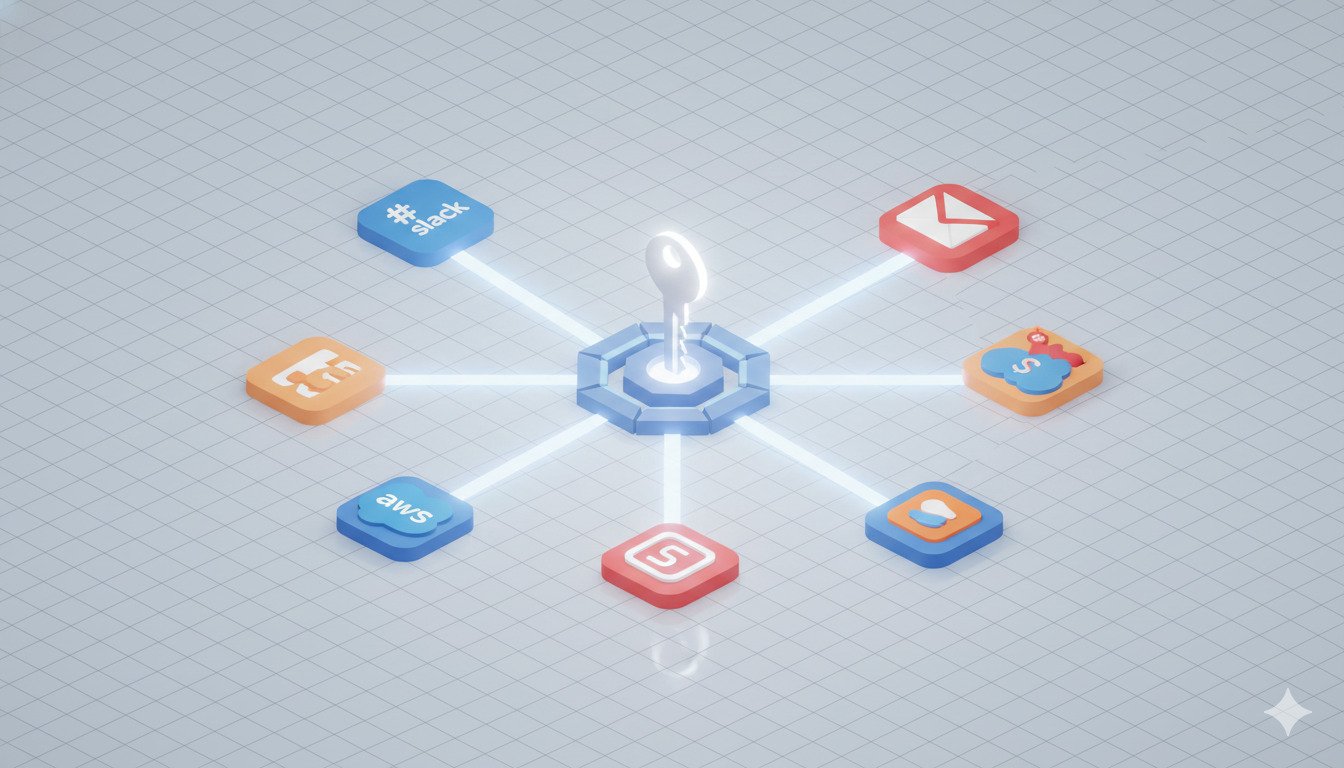
Single Sign-On (SSO) replaces that keyring with one master key card. Users log in once—to a central Identity Provider—and gain access to everything they are authorized to use.
It is convenient, yes. But more importantly, it is the backbone of modern enterprise security.
What is Single Sign-On (SSO)?
SSO is a session and user authentication service.
Without SSO:
- User logs into Gmail -> Types Password A.
- User logs into Slack -> Types Password B.
- User logs into Salesforce -> Types Password C.
With SSO:
- User logs into Identity Provider (IdP) (e.g., Okta, Azure AD, Google Workspace).
- The IdP passes a secure "Token" to Slack, Gmail, and Salesforce.
- The user never types a password for those apps.
The Security Case for SSO
SSO isn't just about saving time. It solves the three biggest risks in IT:
1. The Offboarding Gap
When an employee is fired, you have to revoke access to 50 apps. If you forget one (like a shared Dropbox), they still have access. With SSO: You disable their account in the IdP. Bam. They are locked out of everything instantly.
2. Password Visibility
With SSO, the third-party app (like Slack) never sees the user's password. They only verify the token. This means if Slack gets hacked, your user's credentials aren't compromised.
3. Enforcing MFA
Trying to enforce 2FA on 50 different apps is impossible. With SSO: You enforce strict MFA on the IdP. Now, every app is protected by 2FA automatically, even if the app itself doesn't support it.
Quick Tips
- Start with High-Risk Apps: Don't try to migrate 100 apps at once. Start with Email, CRM (Salesforce), and Cloud Infrastructure (AWS).
- Use Groups: Create groups like "Engineering" and "Sales." Assign apps to groups, not people. It makes onboarding a breeze.
- Force MFA: Since SSO is the "keys to the kingdom," you MUST protect the IdP account with hardware keys or an authenticator app.
SAML vs. OIDC: The Protocols
You will hear these acronyms a lot. They are the languages the IdP uses to talk to the App.
SAML (Security Assertion Markup Language)
- The Old Guard: Developed in the early 2000s. XML-based.
- Use Case: Traditional Enterprise Apps (Salesforce, Oracle, Workday).
- Pros: Extremely mature, supported by almost everything corporate.
OIDC (OpenID Connect)
- The Modern Standard: Built on top of OAuth 2.0. JSON-based (like a REST API).
- Use Case: Modern SaaS, Mobile Apps, Single Page Apps.
- Pros: Lighter, friendlier for mobile, easier for developers.
Verdict: You will likely use both. Use OIDC where possible; fall back to SAML for older enterprise tools.
The Hidden Risks (The Single Point of Failure)
We have to address the elephant in the room: If your SSO goes down, nobody works.
Or worse: If an attacker compromises your SSO admin account, they have everything.
This is the trade-off. You are putting all your eggs in one basket. To make this safe, you must watch that basket very, very closely.
Break Glass Accounts: Always have one "Emergency Admin" account that does NOT use SSO (but has a massive 64-char password and hardware key). If your SSO provider breaks, this account lets you back in to fix configurations.
Implementation Checklist
- Audit: List every app your company uses (Shadow IT will surprise you).
- Choose an IdP: Microsoft Azure AD (Entra ID) is great if you use Office 365. Okta is the gold standard for standalone.
- Connect HR: Integrate your HR software (Rippling/BambooHR) to automatically create accounts in the IdP when someone is hired.
- Test: Roll out to IT first. Then a pilot group. Then the company.
- Disable Direct Login: Once SSO is working, turn off username/password login for those apps so users must use SSO.
Conclusion
Implementing SSO is a heavy lift upfront, but the ROI is instant. You gain visibility, you gain control, and you eliminate the "I forgot my password" ticket forever.
For any company with more than 20 employees, it isn't a luxury feature anymore—it's the baseline for a secure architecture.
DynamicPassGen Security Team
Security Research & Education
Our security team stays current with the latest password standards, authentication methods, and cybersecurity best practices to provide accurate, actionable guidance for users and organizations. We analyze emerging threats, study real-world breaches, and translate complex security concepts into practical advice you can implement immediately.